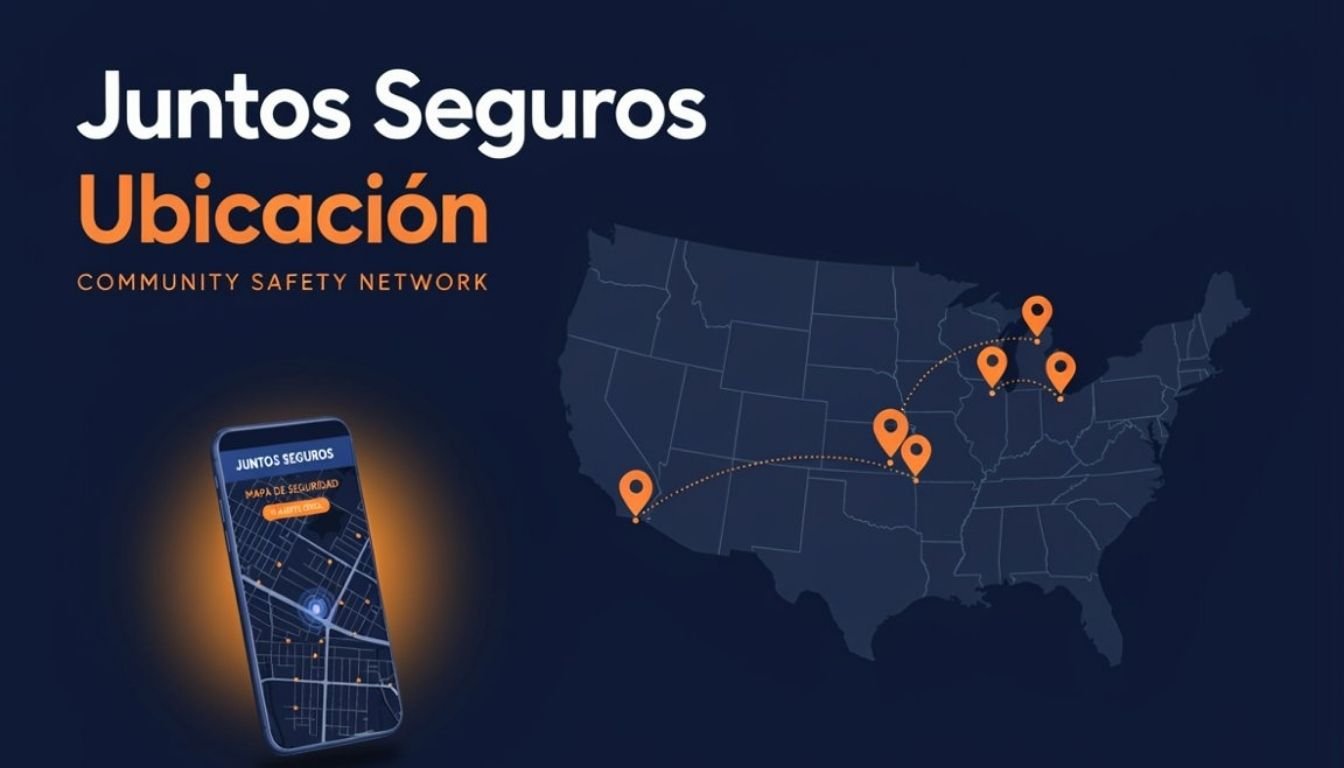
The Juntos Seguros app is the mobile version of the platform, putting real-time ICE alerts, the community safety map, and legal resources directly in your pocket. Available free on both Android and iOS, the juntosseguros app takes less than five minutes to set up. This guide walks you through every step: from download to your first live alert.
Download the Juntos Seguros App — Android and iOS
The juntos seguros app download is free on both major mobile platforms:
Download onGoogle Play — Android
Download onApp Store — iOS
The Juntos Seguros mobile app is compatible with Android 8.0 and above, and iOS 13 and above. It is free to download, free to use, and requires no subscription. The juntos seguros aplicacion is fully available in Spanish, language can be selected during setup or changed at any time.
What the Juntos Seguros App Includes
Real-Time ICE Alerts
Push notifications sent directly to your phone the moment ICE activity is confirmed near your saved locations, even when the app is closed.
Live Community Safety Map
Full access to the interactive safety map with live pins, safe zones, checkpoint markers, and neighborhood activity, updated in real time.
Saved Location Alerts
Save home, work, and school addresses. The app monitors these locations and alerts you automatically when activity is reported nearby.
Legal Resource Hub
Access immigration legal aid, know-your-rights guides, and emergency contacts directly from the app, in English and Spanish.
Offline Mode
The app caches your area’s most recent safety data so you can view last known map status even without an internet connection.
Full Bilingual Support
Every screen, alert, and feature is available in English and Spanish. Both languages are native experiences, not translations.
Complete Setup Guide — Step by Step
Download the app from your store
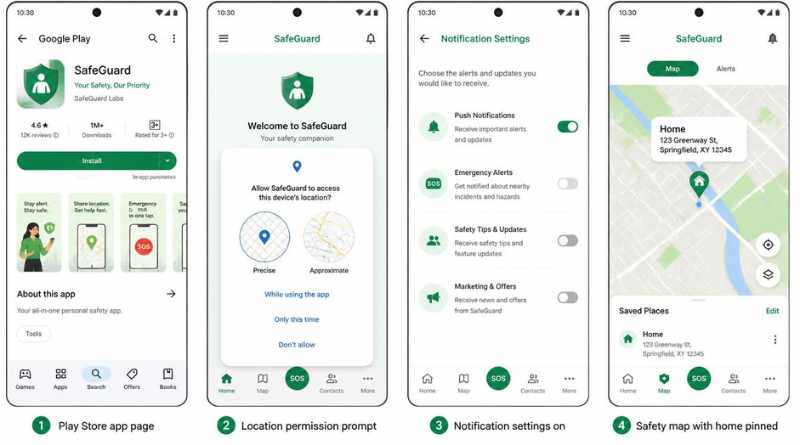
Search “Juntos Seguros” in the Google Play Store (Android) or Apple App Store (iOS). Download and install the free app. Make sure you are downloading from the official juntosseguros.io developer listing, it is the only verified version.
The app is under 30MB. Download takes under 60 seconds on a standard connection.
Choose your language
On first launch, select English or Spanish. This sets the interface, all alerts, and all resource content to your chosen language. You can change this at any time in Settings.
If multiple family members share a device, both languages can be enabled in notification settings.
Create a free account
Tap “Create Account” and enter an email address and password. No personal identification, immigration status, or address is required. Your account exists only to save preferences and locations.
You can use any email. a new email created for privacy works perfectly.
Allow location access
Select “Allow While Using App” at minimum. For push alerts when the app is closed, select “Always Allow.” Your location is used only to show relevant map data, it is never stored on servers or shared with any third party.
If uncomfortable sharing live location, enter locations manually and still receive area-specific alerts.
Enable push notifications
Tap “Allow Notifications” when prompted. This is the most critical step, push notifications are how the app delivers real-time ICE alerts to your phone. Without this, you will only see alerts when you manually open the app.
If you denied notifications by accident: go to phone Settings — Apps — Juntos Seguros, Notifications and enable there.
Save your key locations
Go to “My Locations” in the app menu. Add your home, workplace, and children’s school. The app monitors all saved locations and alerts you whenever activity is reported in any of these areas.
You can save up to 5 locations. Use neighborhood names or cross streets if you prefer not to enter an exact address.
Explore the safety map
Tap the map icon on the bottom navigation bar. The live community safety map loads centered on your current location. Red pins are active ICE alerts. Green zones are confirmed safe. Yellow markers are cleared activity from the past 24 hours. Tap any marker for full details.
Submit reports to help others
If you witness ICE activity, tap “Report” on the map screen, select the activity type, confirm the location, and submit. Your report is fully anonymous and helps protect everyone in your community immediately.
Android vs iOS — Any Difference?
The Juntos Seguros app is functionally identical on both platforms. Every feature is available on both with no difference in capability:
Android
Google Play Store, free
Android 8.0 and above
Full push notifications
Background location alerts
Offline map caching
English and Spanish
iOS (iPhone)
Apple App Store, free
iOS 13 and above
Full push notifications
Background location alerts
Offline map caching
English and Spanish
Privacy — What the App Collects and What It Never Touches
- What it collects: email for account, language preference, locations you save, reports you choose to submit
- What it never collects: immigration status, real name, identity documents, real-time location history, or financial information
- What it never shares: any user data with ICE, law enforcement, government agencies, or any third party, ever
- Your reports: fully anonymized before publication, no identity is ever attached to a submitted alert
- Account deletion: permanently delete your account and all data at any time from Settings, Account, Delete Account
Note: The Juntos Seguros app does not require any government-issued ID, proof of address, or immigration status. Everyone, regardless of documentation, can access safety resources freely and safely.
Frequently Asked Questions
Is the Juntos Seguros app free to download?
Yes. Completely free on both Android and iOS. No subscription, no in-app purchase, no premium version. Every feature is included at no cost.
Where can I download the Juntos Seguros app?
Search “Juntos Seguros” in the Google Play Store (Android) or Apple App Store (iOS). You can also visit juntosseguros.io and tap the download link. Only download from the official listing — there is no other verified version.
Is the Juntos Seguros aplicacion available in Spanish?
Yes. The full app is available in Spanish. Select Spanish during setup and every screen, alert, and resource will appear in Spanish. Switch languages at any time from Settings.
Does the app work on both Android and iPhone?
Yes. Available for Android 8.0 and above, and iOS 13 and above. Both versions are identical in features.
Will the app alert me when I am not using it?
Yes, if push notifications are enabled. When ICE activity is confirmed near a saved location, a push notification is sent immediately even if the app is closed or the phone is locked.
Is my data safe on the app?
Yes. No personal data is shared with ICE, law enforcement, or any government authority. Location is not stored. Reports are anonymized. You can delete your account and all data permanently at any time.
Do I need an account to use the app?
You can view the community safety map without an account. A free account lets you save locations, receive push notifications, and submit reports. Only an email address is required — no personal identification needed.